
A Quick Note on Prices
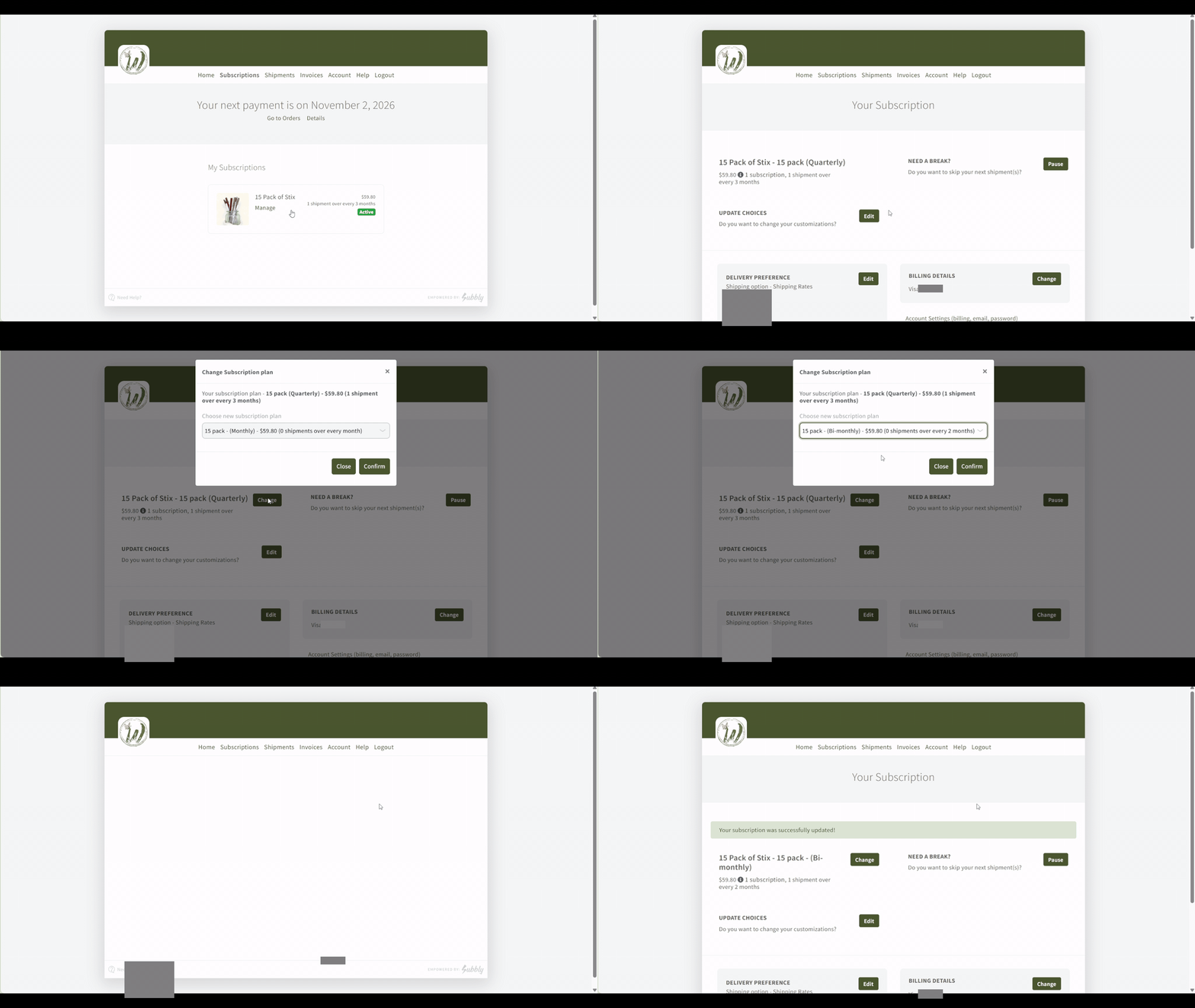
Our prices are going up on December 1. If you have been thinking about adjusting your subscription, a different pack or a different schedule, make the change before December 1 and it is priced at today's rates.
How to update your subscription in the customer portal
Skip Your Next Delivery
Just need a little breathing room? Log in to your portal and click Manage on your subscription. Choose the option to skip your next order and confirm. That delivery will not ship or be charged, and the delivery after it stays right on schedule.
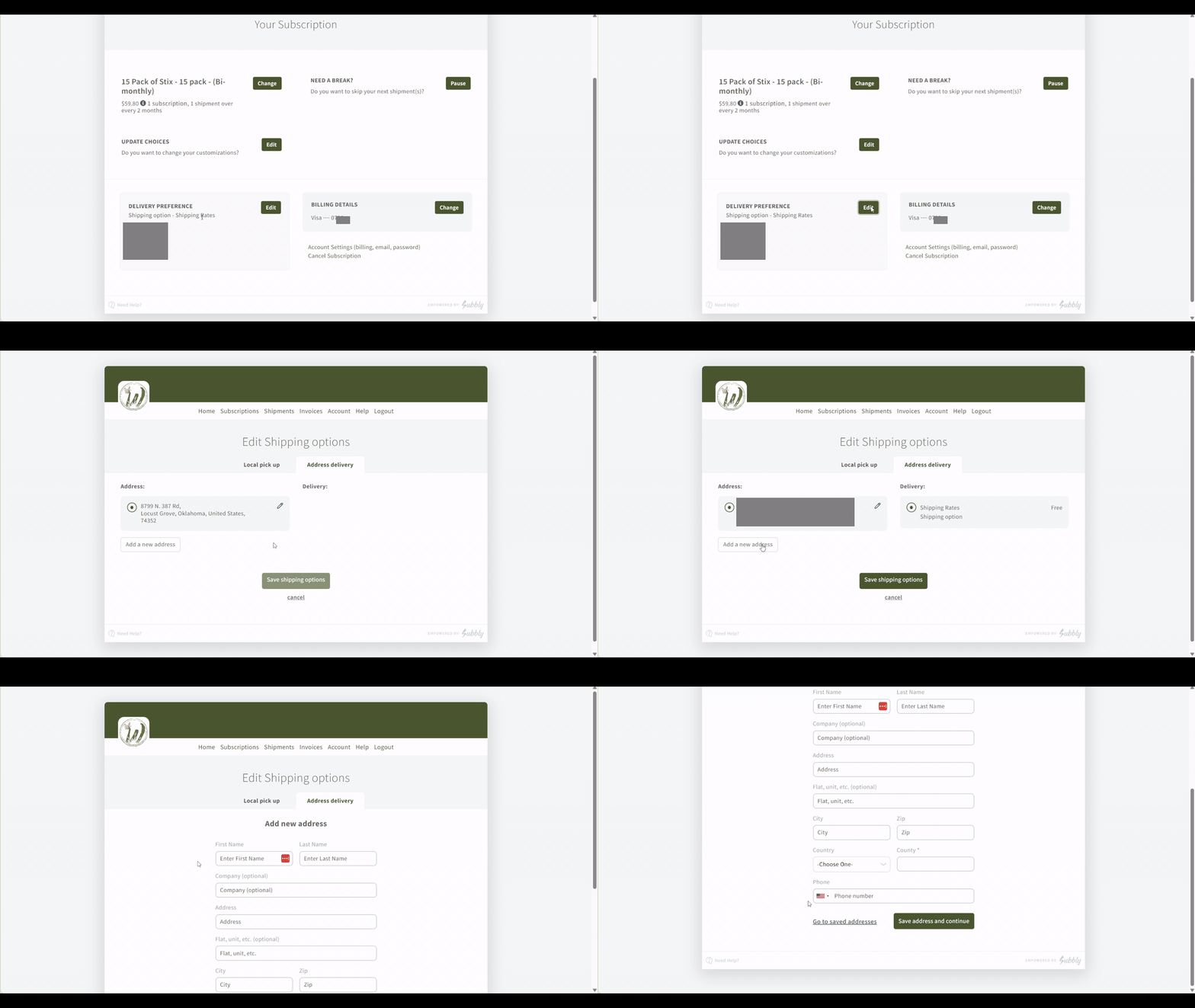
Update Your Shipping Address
Moved, or just need your Stix to land somewhere new? Log in to your portal and click Manage on your subscription. Under Delivery Preference, click Edit next to your address. You can add a new address or update the one you have, then save. Your next delivery goes to the new address.
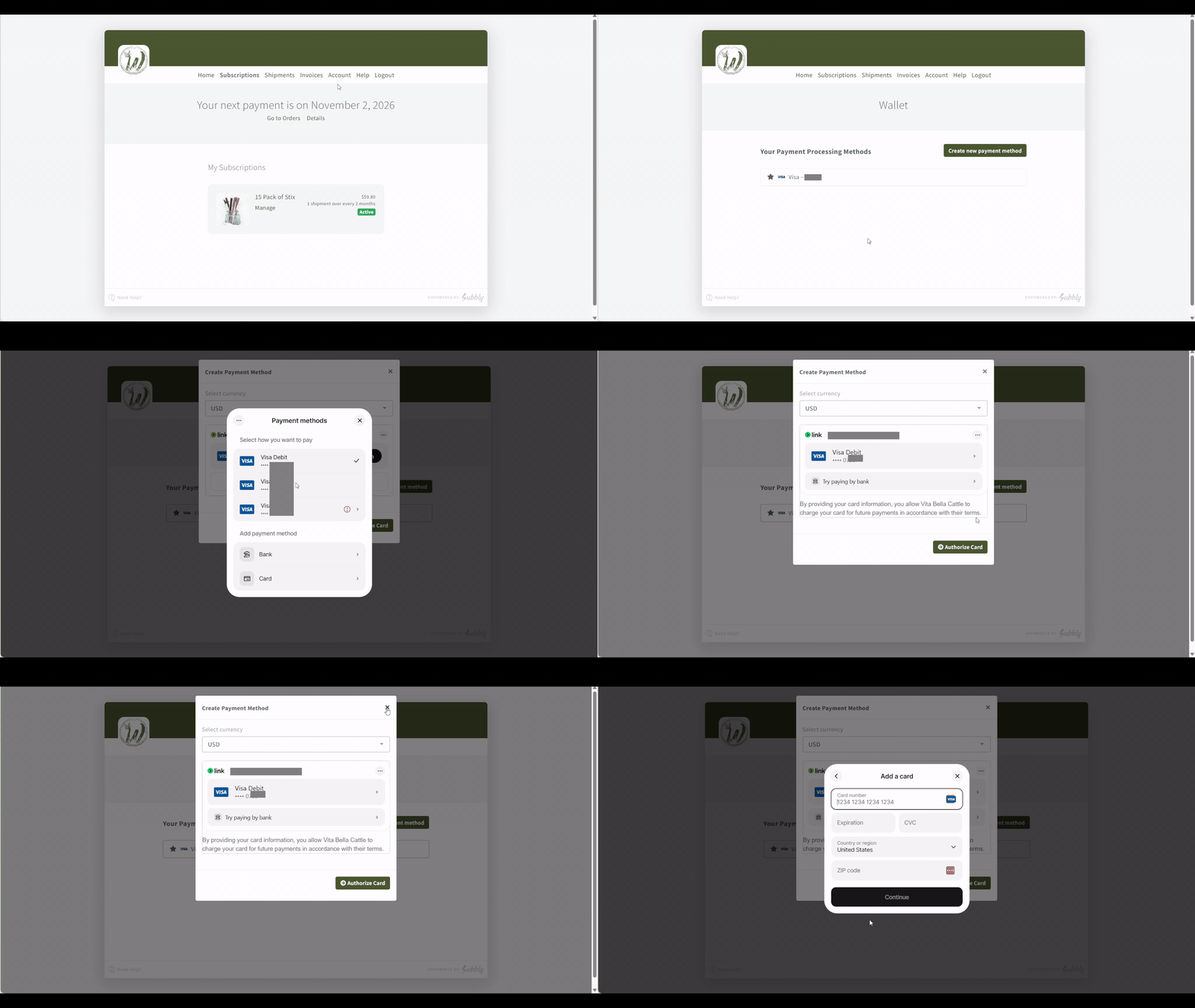
Update Your Payment Card
New card, or the old one expired? Log in to your portal and click Manage on your subscription. Under Billing Details, click Change, enter your new card, and save. That is the card your next renewal will use.
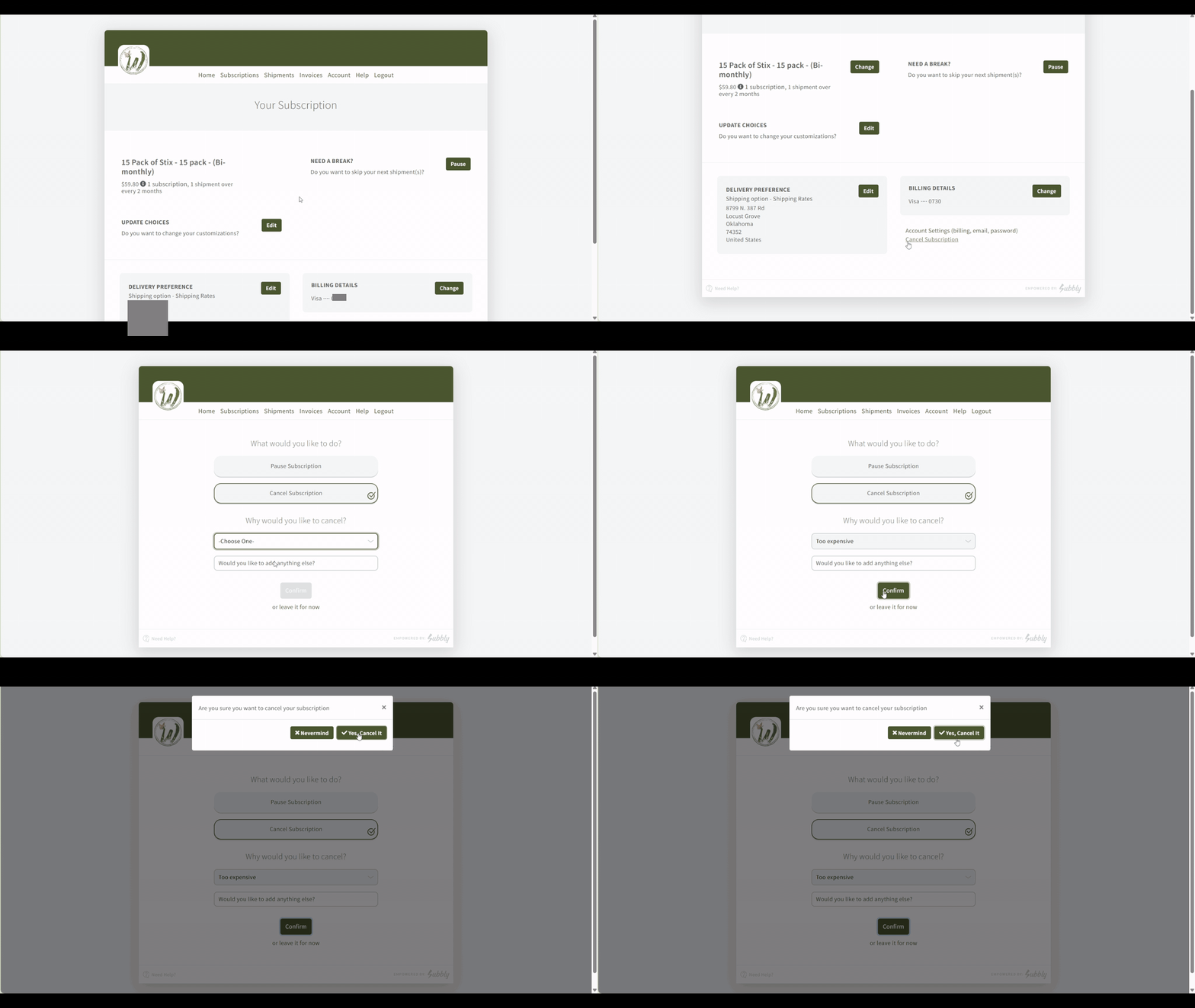
Cancel Your Subscription
You can cancel anytime, yourself, in about a minute. No phone call, no hoops, no guilt trip. Log in to your portal, click Manage on your subscription, choose Cancel, and confirm. That is it.
Rather have us do it? Email support@wholestix.com and we will cancel it for you.
“Need an upgrade? Switching pack size is quick and easy, but can’t be accessed through your portal. Email support@wholestix.com to claim your instant upgrade!”
Questions? Email support@wholestix.com and we will take care of it.
Quick Answers
-
Give it a minute, and check your spam or promotions folder. Make sure you are logging in with the same email you subscribed with, since the portal only recognizes that one. Still stuck? Email support@wholestix.com and we will get you in.
-
Your new schedule starts with your next renewal. Nothing about your current order changes.
-
Switching pack size cannot be done in the portal, but it is quick and easy by email. Email support@wholestix.com to claim your instant upgrade.